Tax Subtotal for Zoho Quotes
Adds the subtotal without tax and the total line tax to your Zoho CRM Quotes, and to your Quote templates.
Ask us about Tax Subtotal for Zoho Quotes
The problem
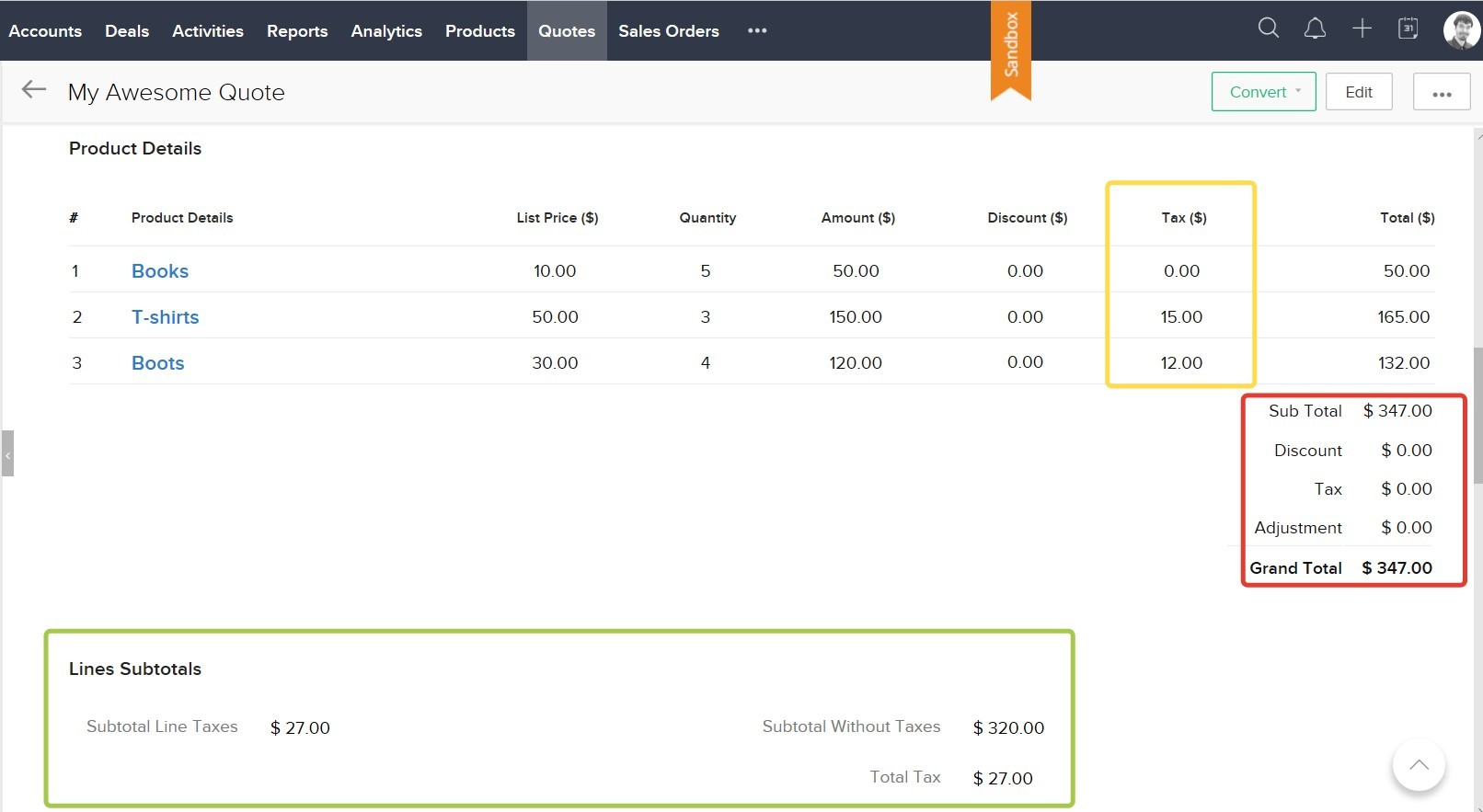
Zoho CRM's Sub Total on a Quote already includes line taxes. Say a Quote has boots ($120), T-shirts ($150) and books ($50): $320 before tax.
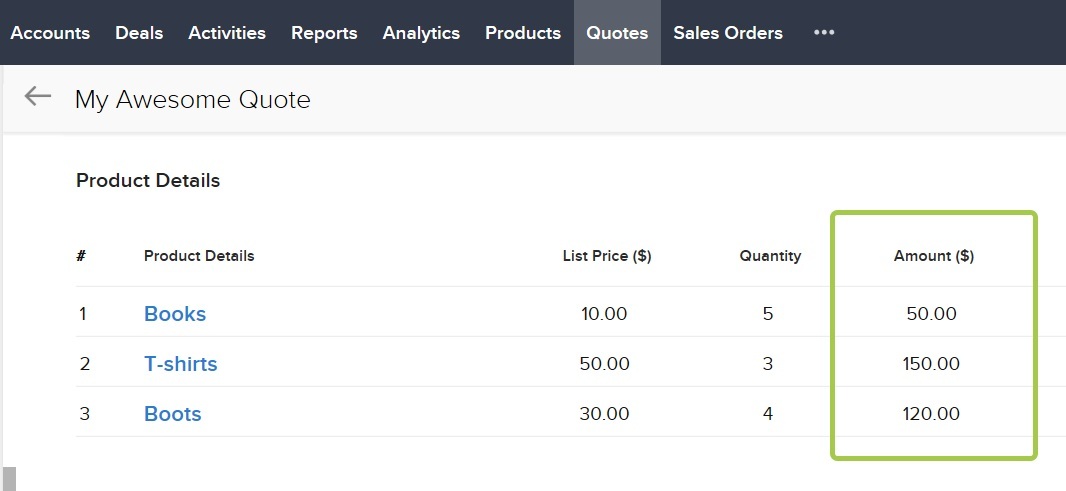
Boots and T-shirts are taxed at 10% and books are not, so the line taxes come to $12 + $15 + $0 = $27.
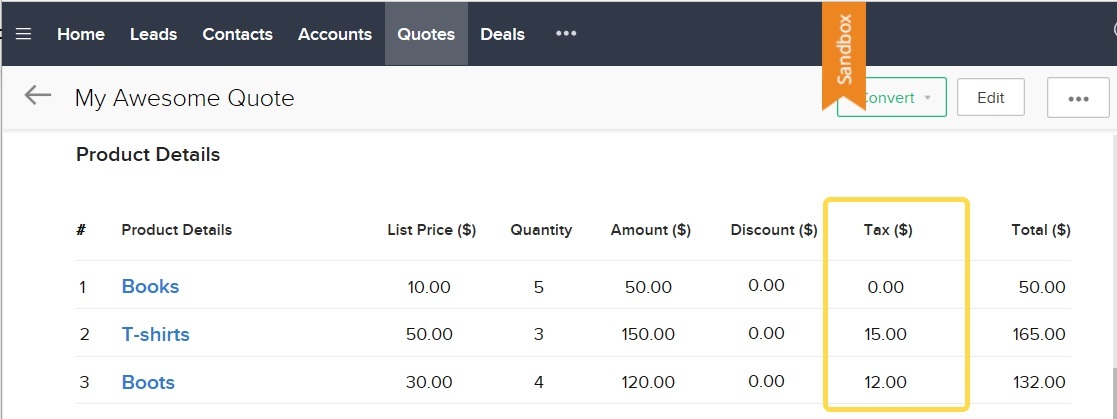
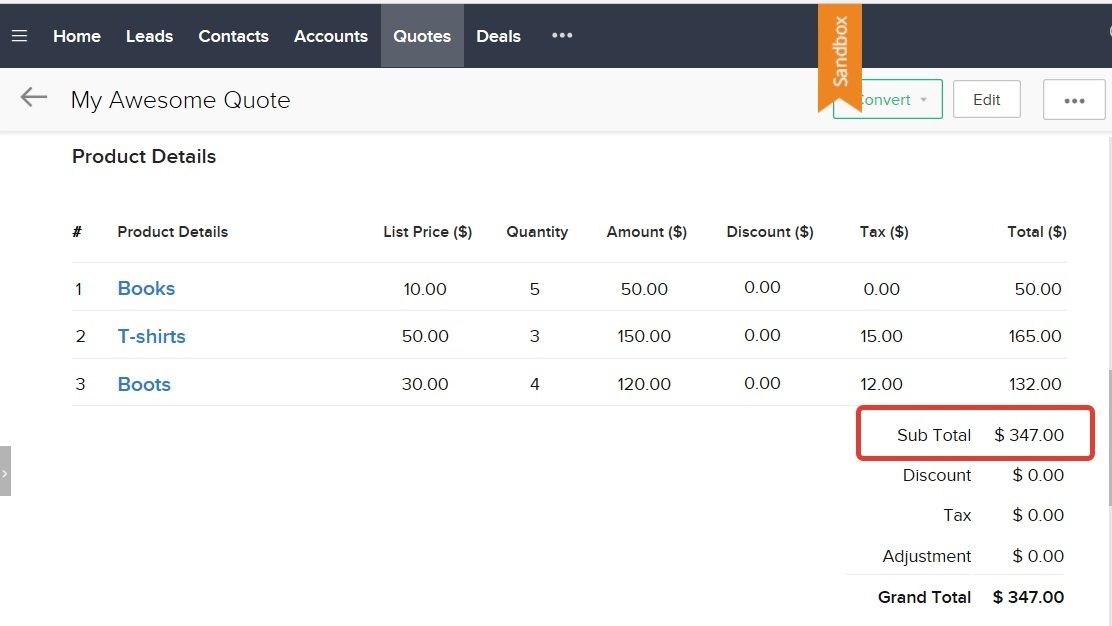
Zoho shows a Sub Total of $347: the $320 plus the $27 of tax. Neither figure on its own appears anywhere on the Quote.
What the extension adds
Two fields on every Quote:
- Subtotal Amount without Taxes: the Quote's amount before line taxes ($320).
- Subtotal Line Taxes: the sum of the taxes applied to each line ($27).
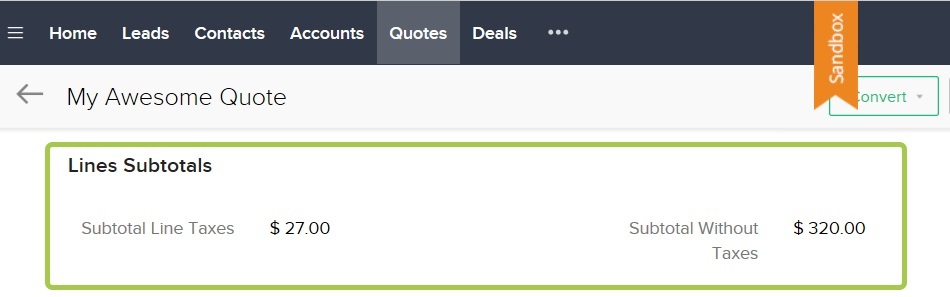

The fields fill in automatically. They are calculated when you save the Quote, not while you edit it, so don't worry if they look empty mid-edit.
On your Quote PDFs
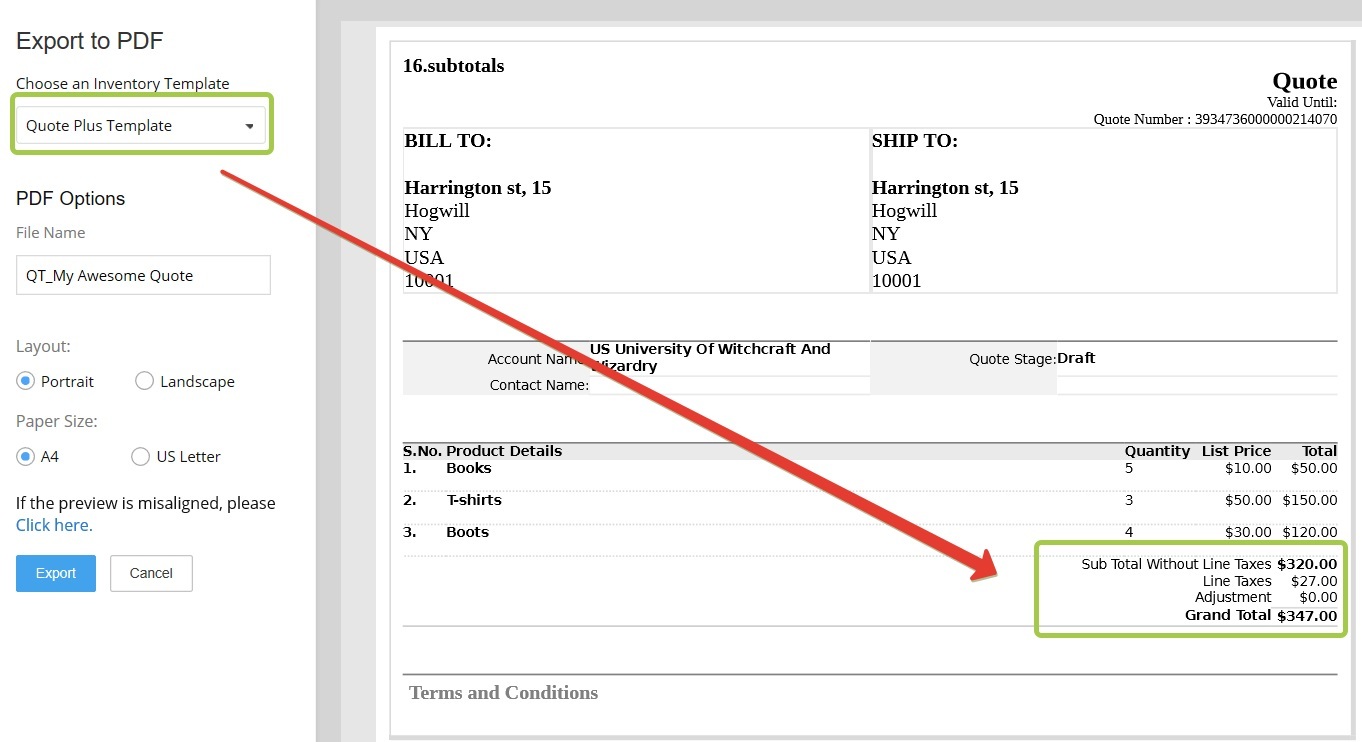
Both fields are available in Zoho's Quote template editor, so you can add them to your branded templates. The extension also includes a sample template that shows them in place.
Need more?
The same fields for Sales Orders, or other subtotals such as a discount subtotal, can be added on request.